Built for developers. Ready for the unexpected.

Real HTTP.
Predictable responses.

A clean 200. A stubborn 429. A broken connection. Define the response your app needs to handle, then change it live. No stub code. No restart.

Open source · .NET 10 · Linux AMD64 + ARM64 · Pre-1.0

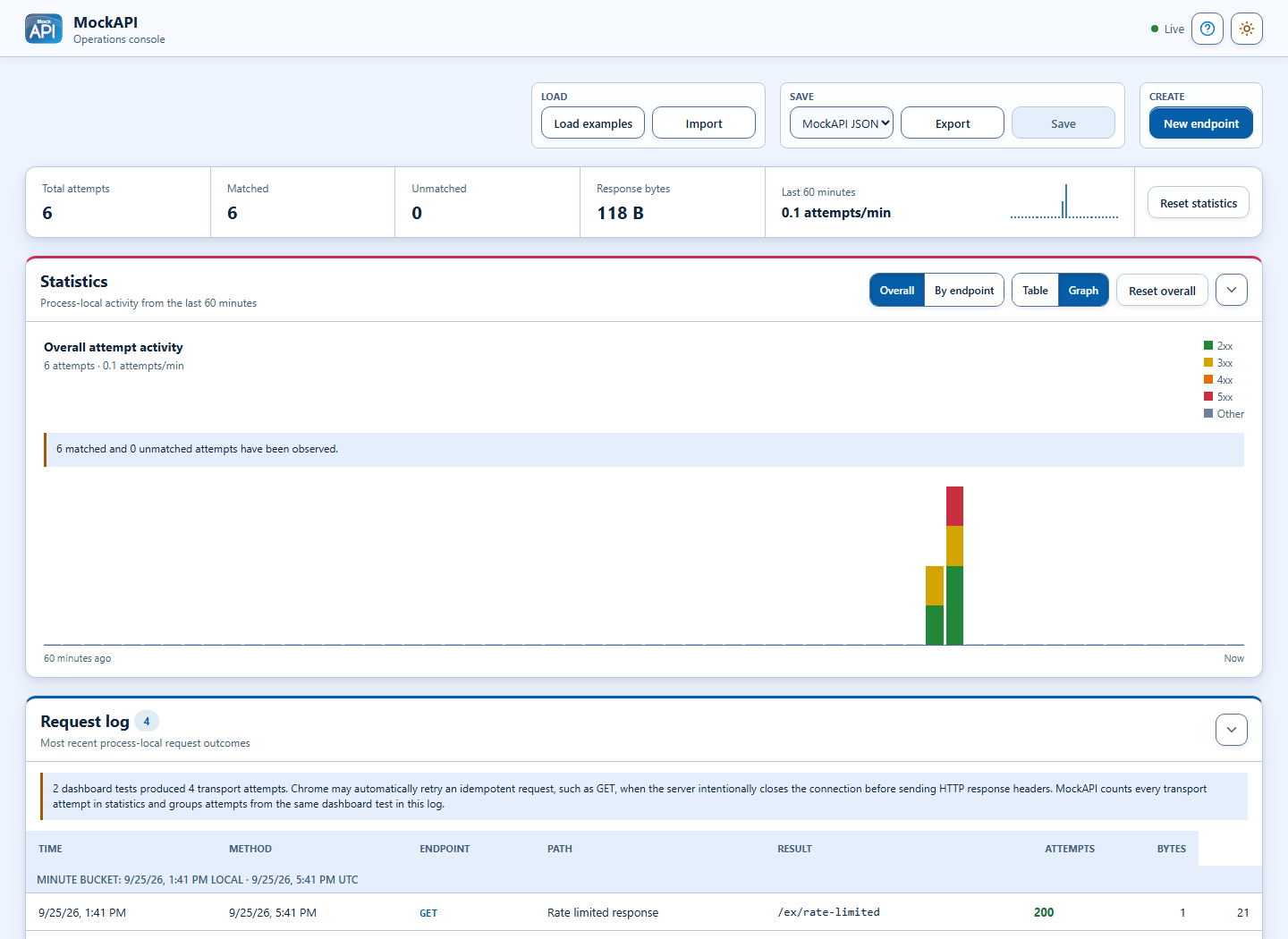
MockAPI dashboard with endpoint management, live request statistics, and response testing.
Define, test, and observe your mock endpoints in one dashboard.

Your first response, in minutes

Choose your starting point

Recommended · Current source

Run locally

Install the stable .NET 10 SDK, then clone and run. No Node.js tooling is needed just to use MockAPI.

git clone https://github.com/simonkurtz-MSFT/MockAPI.git
cd MockAPI
PowerShell 7
$env:ASPNETCORE_URLS = 'http://localhost:5080'
.\start.ps1 -Action run-tutorial
Bash
export ASPNETCORE_URLS='http://localhost:5080'
./start.sh --action run-tutorial

Open localhost:5080/__mockapi/.

No local toolchain

Open in Codespaces

Get a configured development workspace with .NET, Node.js, and the repository's pinned pnpm. Repository access and Codespaces quota are required.

Create a codespace

After setup, run:

./start.sh --action run-tutorial

Open port 5080 in the Ports panel. Keep its visibility Private.

Isolated runtime

Use a container

Choose an existing version from Docker Hub. Published previews can lag behind this documentation; never assume an unpublished beta or a latest tag exists.

Browse published images

For current source, build with Docker:

PowerShell 7
.\start.ps1 -Action container-build -ContainerEngine docker
.\start.ps1 -Action container-run -ContainerEngine docker
Bash
./start.sh --action container-build --container-engine docker
./start.sh --action container-run --container-engine docker

WSLC, persistence, and platform guide

Make your first request

  1. Open the dashboard and select Load examples.
  2. Visit /ex/hello on your running MockAPI instance.
  3. Edit the response, call it again, and watch the statistics change.
  4. Select Save to keep changes in your configured writable file or volume.

Keep administration private. Localhost or a protected network is the default. Before sharing a deployment, configure administrative authentication and HTTPS.

Build confidence before production

Small mocks. Useful experiments.

Unblock development

Give your app a real HTTP dependency while the upstream API is still being built. Exact method and path matching keeps every response predictable.
Explore the built-in examples

Exercise retry behavior

Return 429s with Retry-After, configure server errors, or deliberately drop a connection. Verify the unhappy path without disrupting a real service.

Configure a response

Share a repeatable contract

Version JSON configurations, automate management calls, and export mock definitions for your API workflow.

Use the management API

One app. One container. Your test scenarios.

No hosted service, account, telemetry SDK, or frontend runtime to add to your application. This page is documentation, not a running MockAPI instance.

Explore MockAPI on GitHub